(I) The challenge
Many projects, many people involved
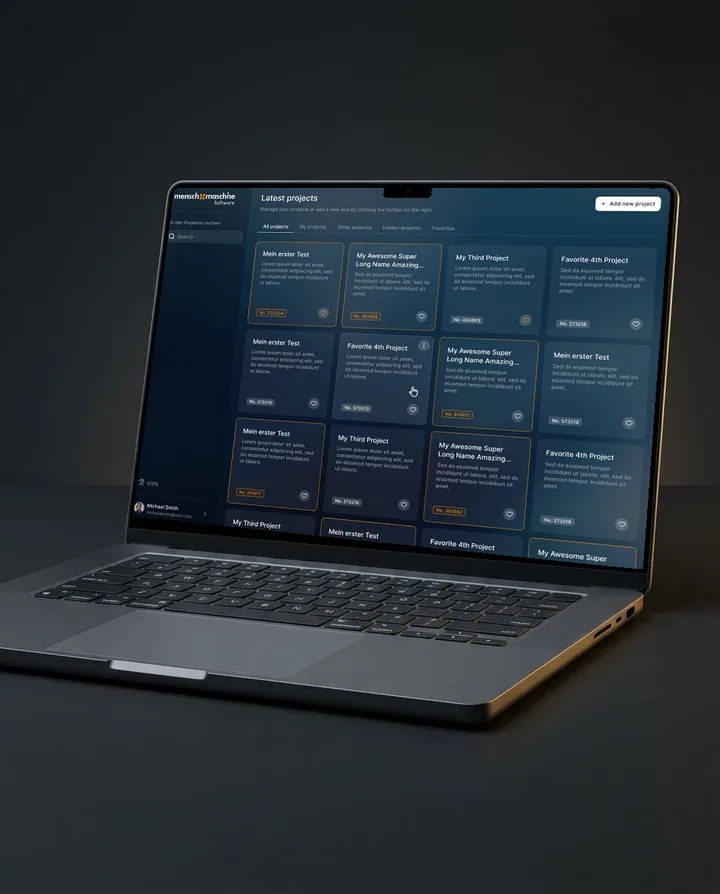
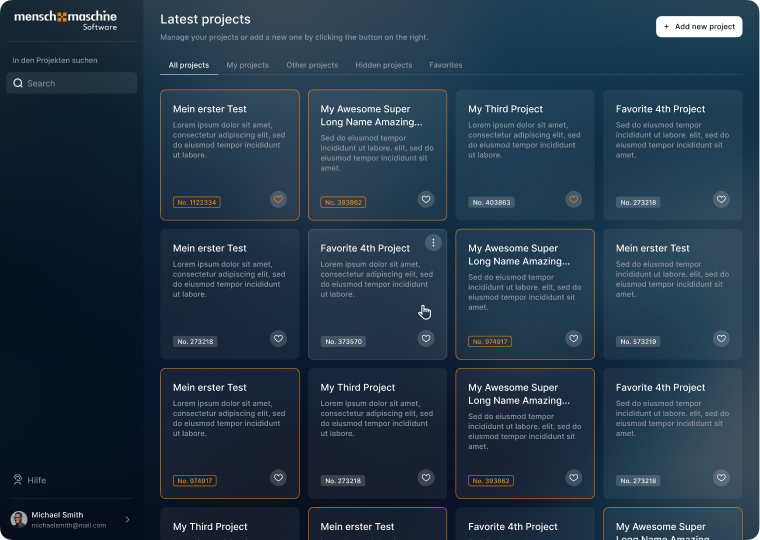
When lots of people work on the same models, misunderstandings and delays creep in fast. So the platform starts with an overview of all projects. Each one is a card with a number and a short description, and at the top you switch between all projects, yours, others, hidden ones and favourites.
(II) The solution
Everyone gets the updates that concern them
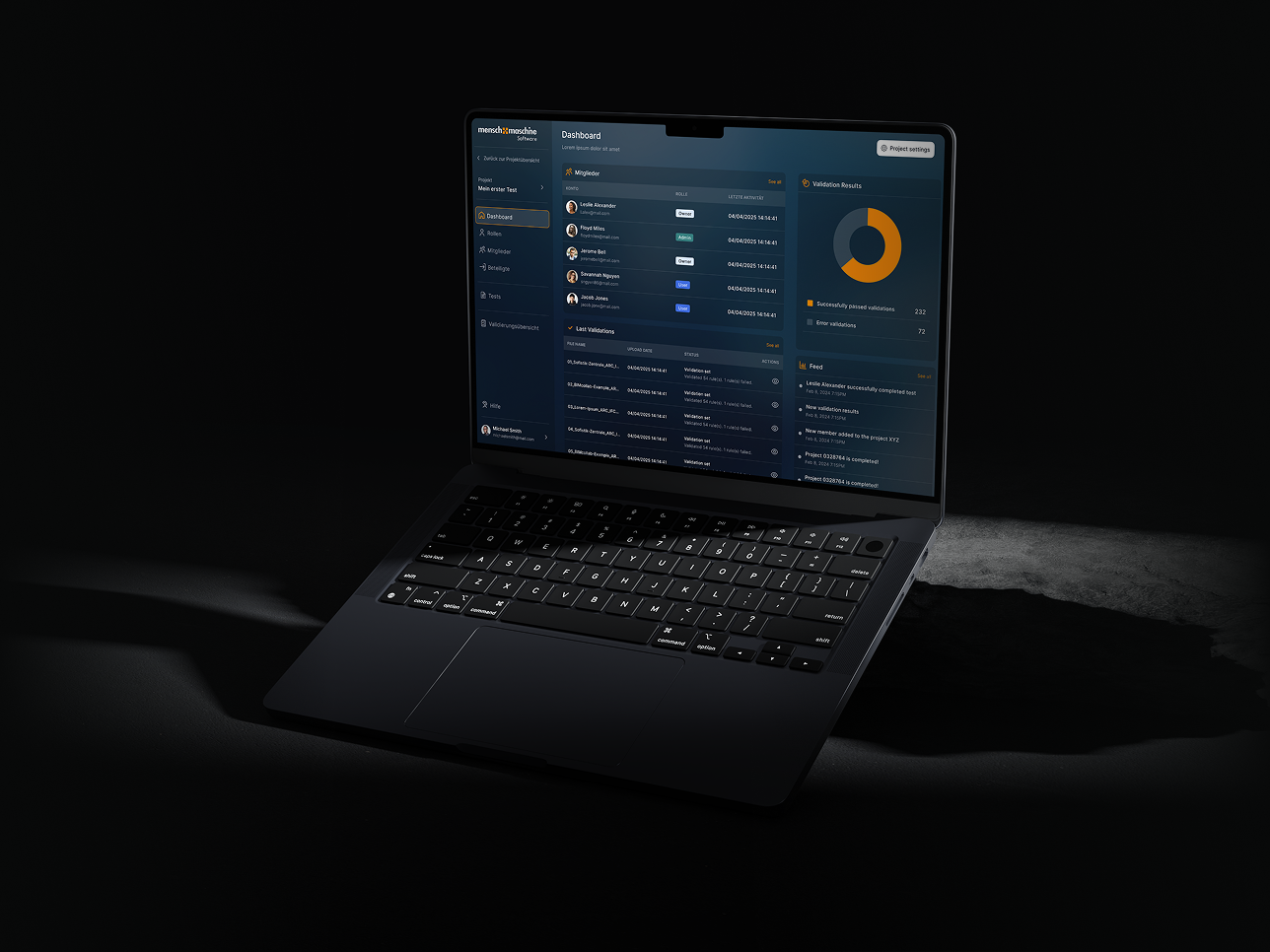
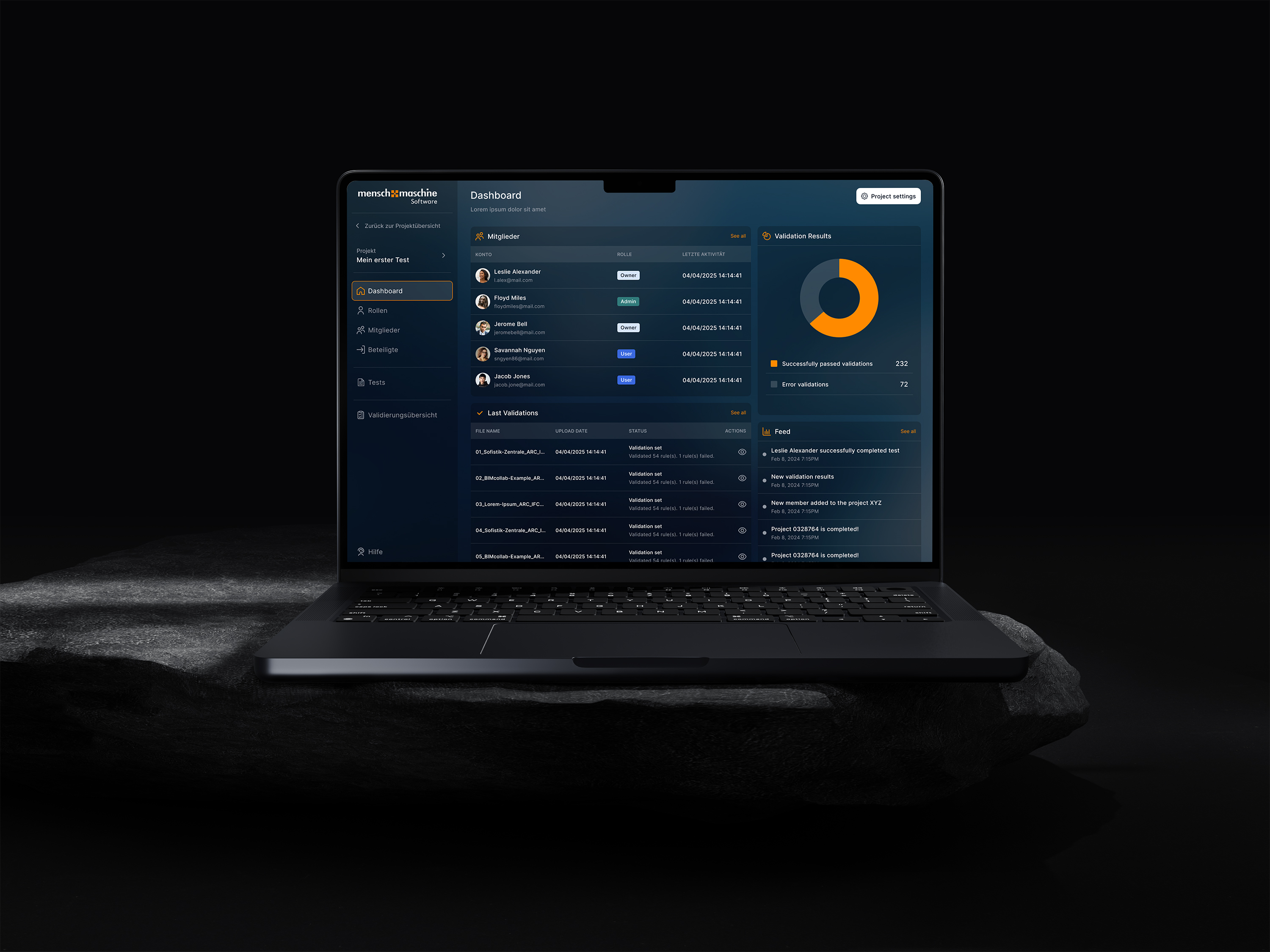
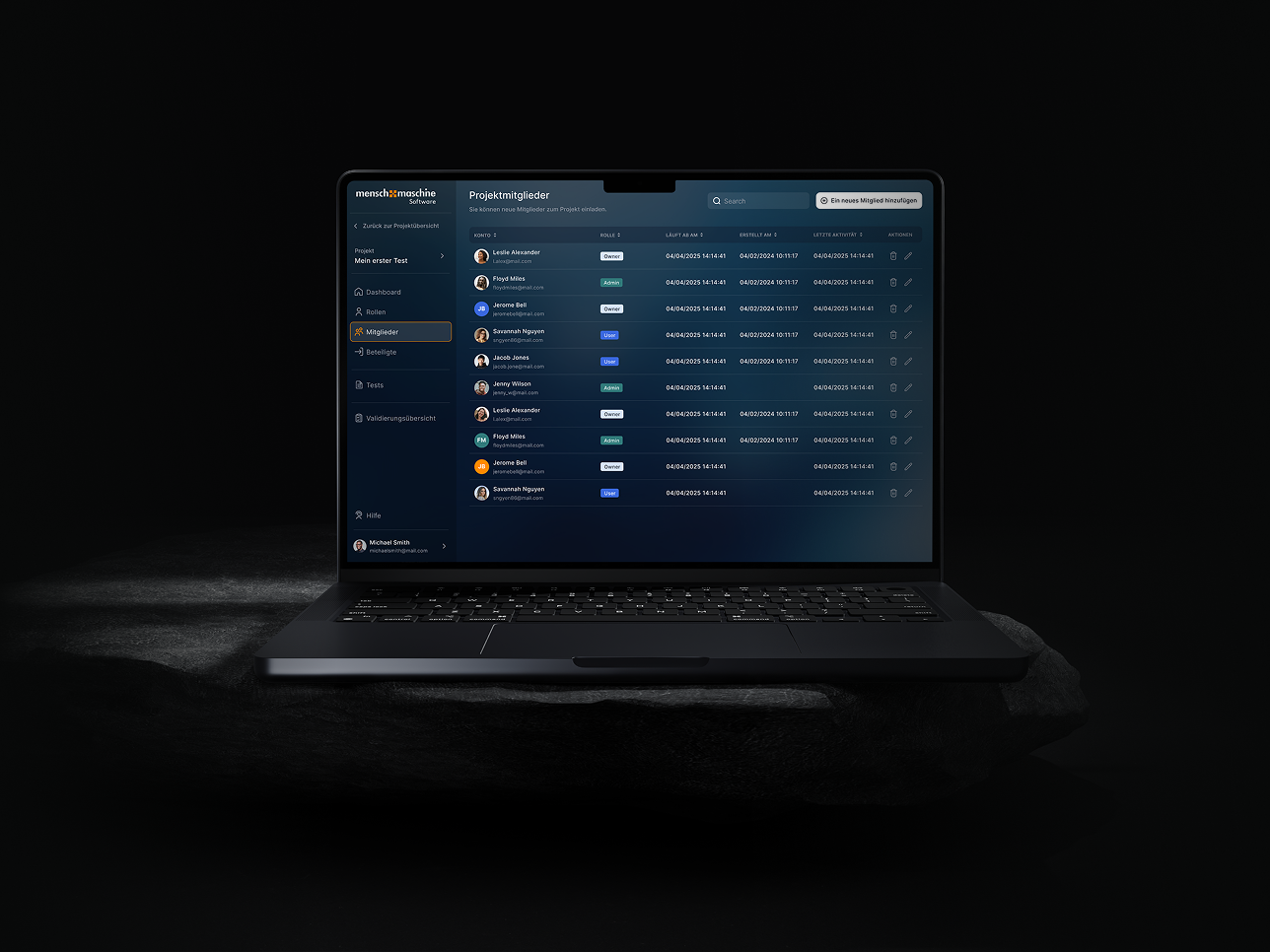
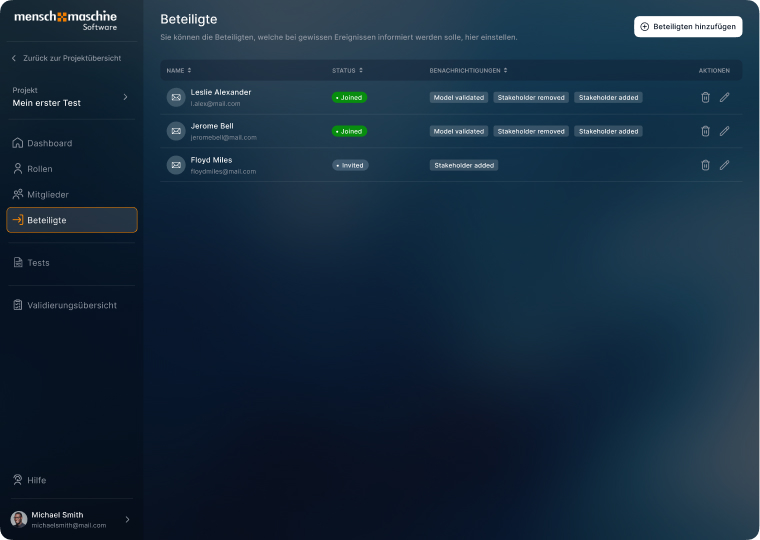
Every project has roles, members and stakeholders. For each stakeholder you choose what they're notified about: when a model has been validated, or when someone joins or leaves. The status shows who has already joined and who has only been invited. Roles and permissions decide who can see and change what.
(III) The tech
How we designed the platform for Mensch und Maschine
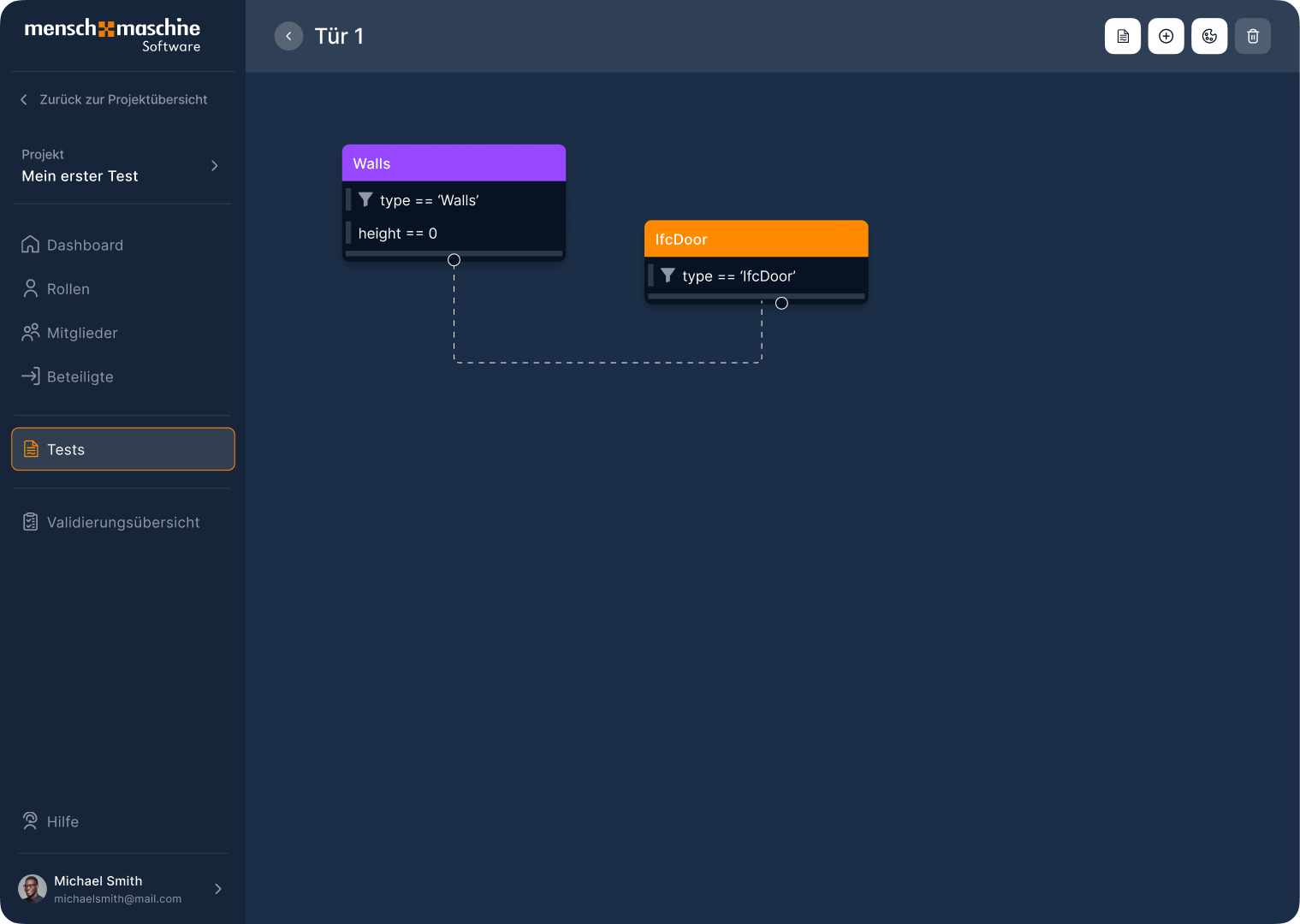
Models are checked with tests the team puts together itself. For this we designed an editor where every rule is its own node: one filters the walls, one the doors, each with conditions such as the component type. Connected, the whole test sits visibly on one canvas instead of in a long list.
- Design & Prototyping
- FigmaFigJam
(IV) The impact
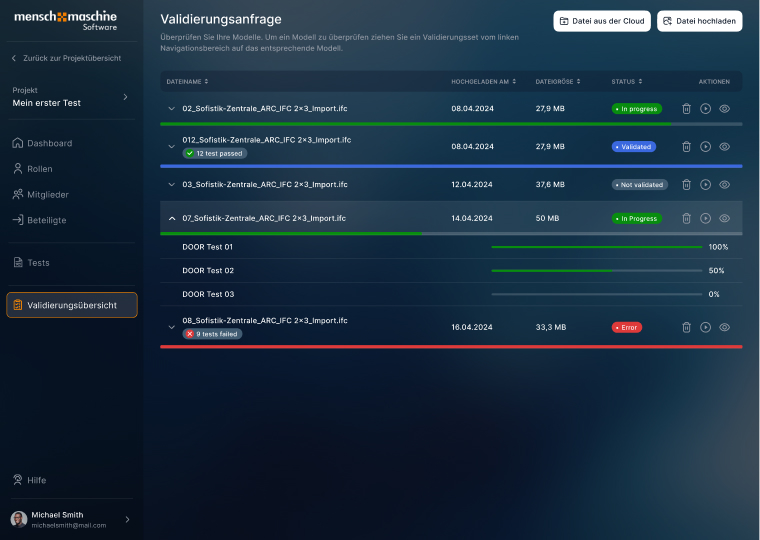
See at a glance which model passes
The validation overview lists every uploaded model with its date, size and status: in progress, validated, not validated or error. A bar shows how far each test has got. So everyone involved sees the same status, with fewer misunderstandings and fewer costly errors.